
Jai Club Referral Link Sharing: Better Ways to Invite Friends
Referral rewards work best when the invite is clear. Learn how to share your Jai Club referral link responsibly.
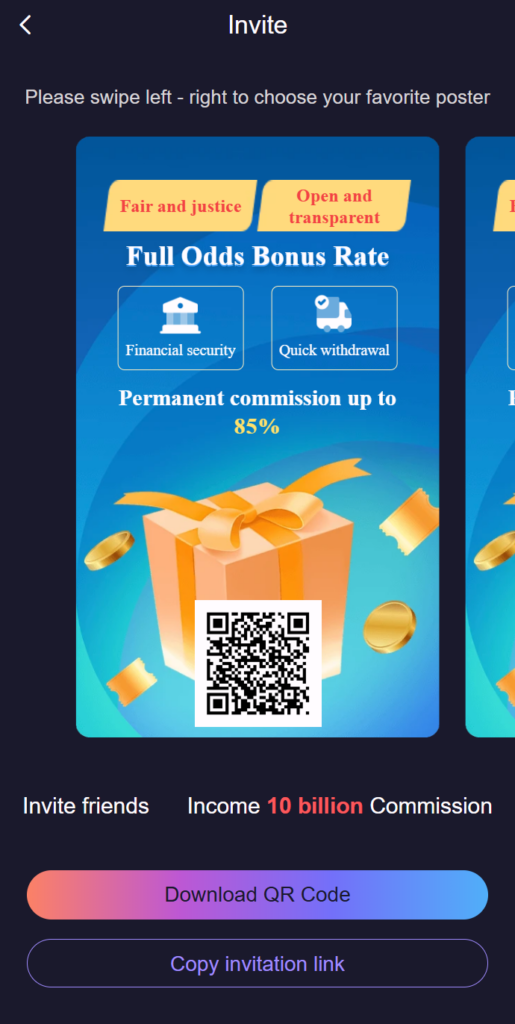
Every Jai Club account has its own invite code and a referral link that carries that code. When a new person registers through the link, or types the code into the invite field on the registration form, their account is linked to yours. That link is made once, at sign-up, and is the whole mechanism; everything else is about sharing it honestly and with the right people.
Reward rules for referrals are set by the platform and can change. Read the current terms on the referral screen in your account before you tell anyone what they or you will receive, and never quote an amount from memory.
Finding and sharing your link
- Open the referral section in your account.
- Copy your unique referral link or code.
- Share it directly with interested friends.
- Explain that the code must be used during registration.
- Track confirmed referrals in your dashboard.
Link, code or QR: which one to send
- The link is best for messaging apps. It opens the registration form with the invite field already filled, so nothing has to be typed.
- The code on its own is useful when someone is already on the form, or when a link gets shortened or blocked by an app.
- A QR code, where your referral screen offers one, suits face-to-face sharing. The other person scans it with their camera.
What to tell the person you invite
A good invitation is short and true. Say what the platform is, that it is for adults aged 18 and over, that the games are games of chance, and that the invite code has to be entered during registration because it cannot usually be added later. Point them to the registration walkthrough so they can see the form before they start, and to the risk disclosure.
Leave out anything you cannot stand behind. Promising income, "sure" results or a fixed bonus is misleading, and it is also the fastest way to lose a friend.
Where not to share it
- Groups and comment sections that have nothing to do with the topic. That is spam, and platforms remove it.
- Anywhere minors are likely to see it.
- Messages that copy the look of an official announcement. Share it as yourself.
- Paid adverts, unless the referral terms clearly allow them.
When a referral does not show in your dashboard
The usual explanation is that the friend registered without the code: they searched for the site instead of opening your link, or cleared the invite field. Because the link is made at registration, it cannot normally be repaired afterwards. Another cause is that the referral screen counts a person only after a qualifying step described in the terms. Check the terms first, then ask customer care with your friend's registration date if the record is still missing. The wider programme is explained in the referral programme guide.
Sharing checklist
- Avoid posting in unrelated groups.
- Do not promise guaranteed earnings.
- Keep referral messages simple.
- Remind friends to read platform terms.
Beyond referral sharing, regular members also keep an eye on daily login streak rewards, tracking monthly Jai Club rewards and redeeming a gift code. To check a code before you use it, read the redeem-code guide. The landing page keeps login, download and customer care together.
Frequently Asked Questions
Where is my Jai Club invite code?
Sign in and open the referral, invite or promotion area of your account. Your code and the link that contains it are shown there with copy buttons.
Does my friend have to use the code at registration?
Yes. The invite code is read when the account is created. It cannot usually be added to an account that already exists.
Can I use my own invite code on a second account?
No. Inviting yourself means holding more than one account, which is against the normal one-account rule and can lead to restrictions.
How much does Jai Club pay for a referral?
This site does not quote amounts. The current reward rules are shown on the referral screen in your account and can change.