
Jai Club Gift Code Redemption: How to Claim Code Rewards
Gift codes can unlock limited rewards when valid. This guide explains how to enter them and troubleshoot common issues.
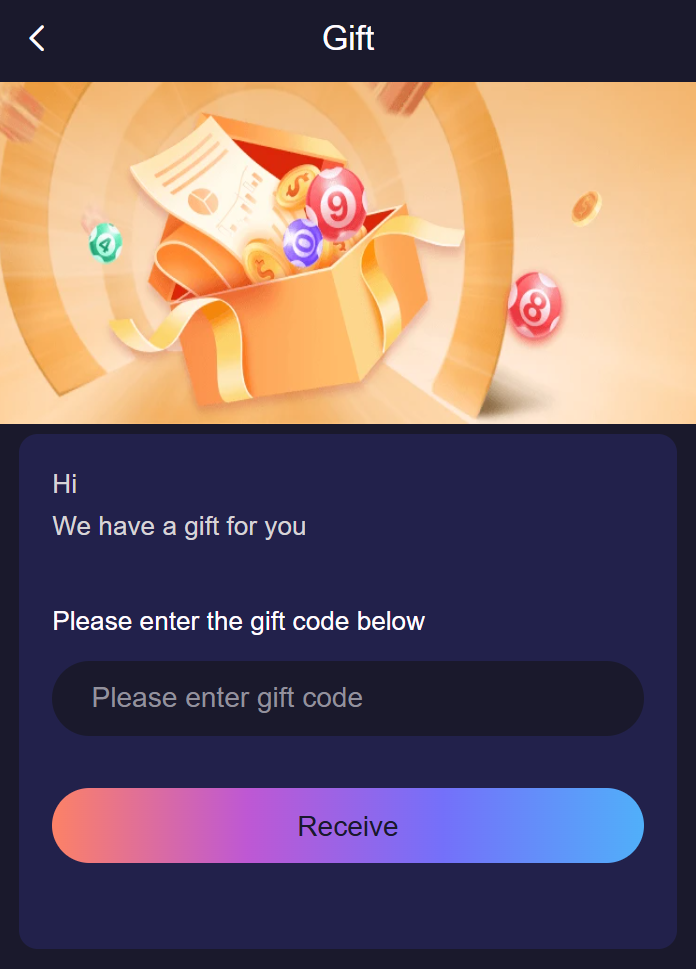
Redeeming a Jai Club gift code takes under a minute when the code is genuine and still open. When it fails, the message on screen tells you why, and in most cases the reason is the code and not your account. This walkthrough shows where the redeem box is, what each result message means, and how to confirm the reward actually reached your account.
This site does not publish codes. The Jai Club gift code page explains where real codes are released; this article starts from the moment you have one in hand.
How to redeem a gift code
- Sign in to your account in the browser or the app.
- Open the account or profile tab and look for the entry labelled Gift, Gift Code or Redeem. On some layouts it sits inside the promotions or activity area.
- Long-press the code where you received it and copy it, then paste it into the box. Pasting avoids look-alike characters such as 0 and O or 1 and l.
- Check that no space was added before or after the code, then tap the Receive or Redeem button once.
- Read the message that appears, then open your wallet or rewards history and find the new entry.
What the result message means
- Success or received: the reward has been added. Confirm it in your history before you close the page.
- Invalid or does not exist: the code was mistyped or was never issued. Paste it again; if it still fails, it is not a real code.
- Expired: the validity window has closed. Nothing on your side can reopen it.
- Fully claimed or limit reached: the code had a fixed number of redemptions and they are gone. This is why a code that worked for a friend can fail for you minutes later.
- Already redeemed: the same account cannot use one code twice. Check your history, because the first attempt probably succeeded.
- Not eligible: the code is tied to a condition, for example a particular member group. The announcement that carried the code states the condition.
Checking where the reward went
A redeemed reward shows as its own line in your rewards or wallet history, with the date and a description. If the message said success but you cannot see the line, refresh the page once and look again before doing anything else. Rewards can carry usage conditions that have to be met before the amount is withdrawable; the conditions are shown with the promotion, and the promotion terms checklist explains how to read them.
If a confirmed redemption is still missing after a refresh, take a screenshot of the success message and raise it with customer care from inside your account. Include the code and the time you redeemed it.
Gift code or invite code?
The two are often confused. An invite code is typed once on the registration form and links a new account to the member who invited it. A gift code is redeemed inside an existing account and gives a one-off reward while it is valid. Putting a gift code in the invite field at sign-up does nothing, and an invite code pasted into the redeem box is rejected as invalid.
Codes that are not worth trying
- Codes sold for a fee. Genuine codes cost nothing.
- "Generator" apps and websites. A code only exists once the platform has issued it.
- Codes that require you to sign in on a page reached through someone else's link.
- Lists of "today's codes" on unrelated websites, which are usually copied and already used up.
Redemption checklist
- Codes may be case-sensitive.
- Most codes have expiry dates.
- Avoid unofficial code lists.
- Do not share account login details to get codes.
Rewards from gift code redemption sit next to a few others, so see how the referral programme works, inviting friends the right way and daily login streak rewards. New here? The home screen of this site explains the basics in a minute.
Frequently Asked Questions
Where do I enter a Jai Club gift code?
Sign in, open the account or profile tab and choose the Gift or Redeem option. Paste the code into the box and confirm.
Why is my Jai Club gift code not working?
The common reasons are an expired code, a code that has reached its redemption limit, a typing error or extra space, or a code you have already used. The message on screen says which one applies.
Can I use the same gift code twice?
No. A code can be redeemed once per account.
Does this site give out Jai Club gift codes?
No. Codes are released by the platform through its own announcements. This site explains how redemption works and does not list codes.
Is a gift code the same as an invitation code?
No. An invitation code is entered during registration. A gift code is redeemed inside your account afterwards.